Get local, national and international numbers directly online.
Carried over the mobile network · no app in the call path · private number stays private

Your business number, on the mobile already in your pocket. Delivered as an ordinary call.

A caller dials your 020, 0161 or 0333 number. It rings on your mobile as a normal incoming call, over the mobile network — the same network that carries every other call you take. Nothing to install, nothing to keep running in the background, nothing that needs a good signal on Wi-Fi. You answer in the phone app you already use, and the caller has no idea you are not sitting at a desk.

  • Mobile network the call is carried the same way as any other call to that handset
  • No app needed the native dialler rings; an app is an option, not a requirement
  • Per person each colleague gets the delivery method that suits how they work
  • Number stays yours port your existing fixed number in, keep the personal one private

Prefer to listen? Audio guide · spoken by a person

0:00 0:00

Transcript

Do you want to stay reachable for business on a fixed number, even when you’re on the move? Then you’ve found it. With a fixed number on your mobile, incoming calls to your fixed business number simply arrive on your mobile phone. Customers call your fixed number and you pick up anywhere, without them noticing any difference.

You decide how the calls come in. Through a direct forward over the mobile network to one or more mobiles, or through the Linphone app on your smartphone — whatever suits each team member best.

That direct forward over the mobile network doesn’t depend on an app or an internet connection. So every call simply comes through, unlike the consumer apps that many providers offer.

You choose the number that fits your business: a national number or a regional number that matches your market. A fixed number builds trust with customers, and your private number stays private.

You don’t need to have a fixed line installed or maintain a physical exchange. So you come across as professional for a low monthly fee, with no upfront installation costs.

Voicemail, forwarding, opening hours and the ring order you set yourself from the portal. And you keep your existing fixed number thanks to number portability, so customers keep calling the same number they already know.

It suits freelancers and small businesses without their own office, entrepreneurs who are often on the road, and teams working hybrid. One shared business number across several mobiles means the right person picks up, without transferring the caller.


The choice that actually matters

Two ways a business call reaches a mobile. Only one of them is ours by default.

Every provider will put your business number on a mobile. The difference is what carries the call for the last few seconds — and that is the difference between a phone that rings and a phone that might. You can run both across one team, and set it per person.

The alternative · per person

The Linphone app, on the phone or the computer

A SIP app receives the call over data or Wi-Fi. It is genuinely useful for desk-based work: a headset on the laptop, outbound calls that present the business number, and one login across phone, Mac, Windows and Linux.

caller → your 0330 number → our platform → INTERNET → the app rings

  • Outbound calls present your business number, not the personal one.
  • Same login on the laptop, so the desk and the pocket share one line.
  • Needs a connection good enough for voice, right at that moment.
  • Needs the app alive and allowed to wake — battery saving is not on your side.

Choose this where a desk and a headset are involved.

One number, four people, four different setups

Demo tenant · Harper & Vale · 0330 128 4471
Recommended delivery

Direct forwarding over the mobile network

Tom is on site from seven, often in a plant room, a loft or a basement. He has signal for calls and frequently nothing usable for data. An app would spend half the day unable to ring and the other half waking up too late.

The test we apply: if this person misses a call, does the job go to somebody else? If yes, the call goes over the mobile network and no app sits in the path.

How the number is set today

  • 08:00–17:00 → Tom, mobile network, 20s
  • no answer → Sarah, mobile network, 20s
  • app delivery — not used for this person

Nothing installed on Tom's handset. He answers in the phone app that came with it.

Recommended delivery

The Linphone app on the laptop, with the mobile network behind it

Priya runs the office from a desk with fibre and a headset, and she makes as many calls as she takes. Outbound calls have to show the business number, so the app earns its place here. Her mobile stays in the ring order for the moments she is away from the desk.

The test we apply: is there a desk, a good connection and a headset? If yes, the app is the better tool for the hours at the desk, and the mobile network stays behind it so nothing is missed when she steps away.

How the number is set today

  • 08:00–17:30 → Priya, Linphone on the laptop, 15s
  • no answer → Priya, mobile network, 20s
  • after 17:30 — handled by the out-of-hours rule

One login on the laptop and the phone. Callbacks go out through the app and present the 0330 number.

Recommended delivery

Direct forwarding over the mobile network

Sarah is the business. One handset, no office, and every enquiry is a job she wins on the first ring or loses to the next name on the list. Nothing may sit between the caller and her phone, and her personal number stays out of it.

The test we apply: if this person misses a call, does the job go to somebody else? For a one-person business the answer is always yes, so the call goes over the mobile network and the app is kept for callbacks.

How the number is set today

  • 08:00–18:00 → Sarah, mobile network, 25s
  • no answer → business voicemail, emailed to Sarah
  • app delivery — Linphone on the laptop, callbacks only

Callbacks go out through the Linphone app, so the customer sees the 0330 number and never the mobile.

Recommended delivery

The voicebot first, a mobile only when it is urgent

After six nobody is paid to answer, but a burst pipe does not wait until morning. The voicebot takes every call, asks what has happened, and rings the on-call mobile over the mobile network only when the caller says it cannot wait. Everything else becomes an emailed voicemail for the morning.

The test we apply: does anybody need to be woken for this? The voicebot asks the caller, so a person is only rung when the answer is yes, and then over the mobile network rather than into an app that may be asleep.

How the number is set today

  • 18:00–08:00 → voicebot answers and triages
  • urgent → on-call mobile, mobile network, 30s
  • not urgent → voicemail to email, read at 08:00

Nobody carries an app overnight. The on-call phone rings as an ordinary call, and only when the voicebot decides it should.

All four run on the same number at the same time. The pattern is a dashboard setting, not a plan you are sold.

Why we route this way round

A call delivered into an app depends on three things going right. A call on the mobile network depends on none of them.

VoIP-only providers carry everything over the internet, because it is cheap. It usually works. The trouble is the word usually: the failure is silent, it lands on the caller’s side, and you find out from a voicemail two hours later — if at all.

Dependency one

The connection has to be alive

Not merely connected — good enough, right then, for voice. A weak bar of 4G in a basement or a contended hotel Wi-Fi is connected and useless.

mobile network: not required

Dependency two

The app has to be running

Backgrounded, force-closed after an update, or asleep under battery optimisation, and there is simply nothing there to ring.

mobile network: not required

Dependency three

It has to wake in time

A push notification that arrives on the fourth ring arrives after the caller has already given up and phoned somebody else.

mobile network: not required

We are a licensed operator with our own interconnect, so the phone network is our first choice and the internet is our second.

That is the whole of it. We route primarily over fixed, mobile and private networks, and we use VoIP where VoIP is the better tool — a desk phone on the office LAN, a softphone with a headset, a colleague on a laptop abroad. What we do not do is make the internet the only way a call can reach you, and then call the result a phone system. Fixed on mobile is that principle at its plainest: the caller dials a number, a phone rings, and there is nothing in between that can quietly fail.

licensed operator in 15 countries · own interconnect with the fixed and mobile networks · VoIP as a deliberate second option

The personal number

Nobody you do business with ever learns your mobile number

The forward happens on our side. Your mobile number is a destination in your dashboard, not something a caller can see, look up or ring back. That holds whether the caller is a customer, a supplier or someone who has kept the number from three jobs ago.

  • They dial the business number, always

    Callers only ever have the 020, 0161 or 0330. If the business moves, splits or hands the line to someone else, the personal number was never part of the arrangement and does not need untangling.

  • You know it is business before you answer

    Switch on the whisper tone and the phone tells you which number was dialled before you pick up — a short message only you hear. You answer the business line like a business and your own number like yourself.

  • Business voicemail stays separate

    Unanswered business calls go to the business voicemail on our platform, with its own greeting, its own recipients and voicemail-to-email. Your personal voicemail stays personal and keeps your own greeting.

  • You can switch yourself off

    Set yourself unavailable in the app and today’s calls go to a colleague, the queue, voicemail or the voicebot. The number does not change and nobody is told the difference — the evening simply stops ringing.

Setting it up

Three steps, and none of them involve an engineer

There is no line to install, no exchange to maintain and no hardware to wait for. If you are porting an existing number the wait is regulatory, not technical — the setup itself is done in an afternoon.

  1. 01

    Pick the number, or bring yours

    A regional number that matches your market, a national 0333, or a freephone 0800. Already have a fixed number you would rather keep? Port it across and customers never learn a new one.

  2. 02

    Add the mobiles as destinations

    Type each colleague’s mobile number into the team page. That is the whole of the configuration on their side — nothing is installed on their handset and their provider does not need to know.

  3. 03

    Set the order and the fallback

    All at once or one after another, who first, how long each rings, and what happens when nobody picks up: voicemail, a queue, the voicebot. Changed from the dashboard whenever the pattern changes.

0330 128 4471 · destinations Live
Sarah Whitfield Mobile network
+44 7700 900 118 · rings 1st · 20s
Tom Reeve Mobile network
+44 7700 900 204 · rings 1st · 20s
Priya Nair Linphone + mobile
app and +44 7700 900 377 · rings 2nd · 15s
No answer Fallback
voicebot → urgent? call out : voicemail to email

Mobile numbers shown are reserved UK test numbers. Adding, removing or reordering a destination takes effect on the next call — there is no provisioning window and no charge per destination.

Which number

A number that says where you trade, not which network you are on

Callers read a number before they dial it. A regional code says you are local to a market; an 0800 says the call costs them nothing; a mobile prefix on a business card says something neither of those do.

020

London and other regions

0161 Manchester, 0121 Birmingham, 0131 Edinburgh and the rest. The local presence without the local office.

0333

National

One number for the whole country, charged to the caller at their standard rate. The usual choice for a business that is not selling to one town.

0800

Freephone

Free for the caller, which lifts response on anything advertised. Still lands on the same mobile as everything else.

0808

Freephone, mobile-friendly

Free from mobiles as well as landlines — worth the swap if most of your callers are phoning from a handset.

Keeping the one you have

Porting a fixed number is the point at which this becomes easy

If the number is already on your van livery, your invoices, your Google listing and a campaign that is still running, changing it costs more than the telephony ever will. Port it to us and it keeps working exactly as it does now — except it also rings a mobile, and you can change where it goes without asking anyone’s permission.

Where it works

Anywhere the phone rings, which is most places

A forward to a mobile follows the handset, not the building. Within the UK that means it simply works. Outside it, there are two separate questions — roaming, and whether the market allows it at all.

On the road

Between jobs, on site, in the van

The call arrives the way every other call arrives on that handset. No app to open before a customer can reach you, and no dead spot where the phone says connected but nothing comes through.

At home

Hybrid weeks and remote days

Nothing changes when the desk changes. The same number rings the same phone, and if the home broadband is having a bad morning it makes no difference to anything.

Abroad

Ask before you plan it

A roaming phone can take a forwarded call, and roaming charges may apply on your own mobile plan. The larger question is regulatory: several countries require the user of a number to be located in-country, and the rules differ per market. We hold operator licences in 15 of them, so ask us first and you will get a straight answer about what is genuinely allowed.

Where else it rings

Answer on what you have, or on what we give you

Fixed on mobile is one endpoint of the phone system, not a product you buy instead of the others. Most setups combine two or three, and the combination is a dashboard setting.

Our app

The control, not the call. Set yourself available or unavailable and send today’s calls elsewhere from your pocket — the call itself still arrives on your mobile as an ordinary call.

See how it works

Desk phone

Any SIP handset from any supplier, connected by you or your IT partner. The obvious pairing: the desk phone in the office, the mobile when the office is empty.

See how it works

Softphone

The same business line on a laptop or desktop, with a headset and outbound calls that present the business number. Where the Linphone method earns its place.

See how it works

AI voicebot

An agent answers, asks the right questions, books or triages, and hands anything unusual to a person. Most often switched on for evenings and weekends first.

See how it works

Web interface

Where destinations, opening hours, voicemail and ring order actually get changed. The layer above the handsets rather than another place to answer a call.

See how it works

Team dashboard

Who is free, who is mid-call, and where each number currently points. Useful the moment more than about three people share a line.

See how it works
Every feature of the phone system — routing, queues, menus, whisper tone, recording, voicemail-to-email, call insights — comes with the number itself, whichever endpoints you end up using. See all features →
Questions

Fixed on mobile — frequently asked questions

No. They dialled your fixed number and the call behaves exactly as it would on a landline. Nothing in the call tells them where the phone is, and your mobile number is never shown to them.

Not for the calls. With direct forwarding the call arrives in the phone app that came with the handset. Our own app is worth having for setting yourself available or unavailable and changing where today’s calls go, but it sits beside the call rather than carrying it. The Linphone app is a separate option for people who want a headset on a computer. Why we do not carry calls over a mobile app is explained in this article.

Whatever you set: the next colleague in the order, a queue, business voicemail with voicemail-to-email, or the voicebot. Each business number keeps its own voicemail, separate from the personal voicemail on the handset.

Yes, with all of them. We place a call to your mobile number the way any other caller would, so your provider, tariff and handset are irrelevant to us — and there is nothing for them to enable.

If you dial straight from the native phone app, they see the mobile’s own number. To present the business number on outbound calls, use the Linphone app or place the call through the platform. It is the one thing direct forwarding does not do on its own, which is why plenty of people run both methods on the same handset.

Yes, and it is the usual setup for a small team. All at once, or in sequence with your own order and ring times, so the right person picks up without anyone being transferred. You can also link several business numbers to the same account and point each one somewhere different.

Yes. Number portability moves it to our platform and customers keep dialling the number they already have. It then rings your mobile, and you can change where it goes from the dashboard from that point on.

Technically the forward follows the handset wherever it is roaming, and roaming charges on your own mobile plan may apply. Legally it depends on the market: some countries require the user of a number to be located in-country. We are a licensed operator in 15 countries — ask us before planning an international setup and we will tell you what is genuinely permitted.

Start on the phone you already carry. Add the rest when you need it.

A number pointed at a mobile is the cheapest working phone system there is, and it is the same platform a hundred-seat contact centre runs on. When you outgrow it, nothing has to be replaced — same number, same dashboard, more endpoints.

Get your number

Rather talk it through first?

Our team helps you with numbers and voicebots in each of our countries. Call us or use the contact form.

To the contact form → Reply within one day
Or call us
European Union GDPR-compliant · data in the EU
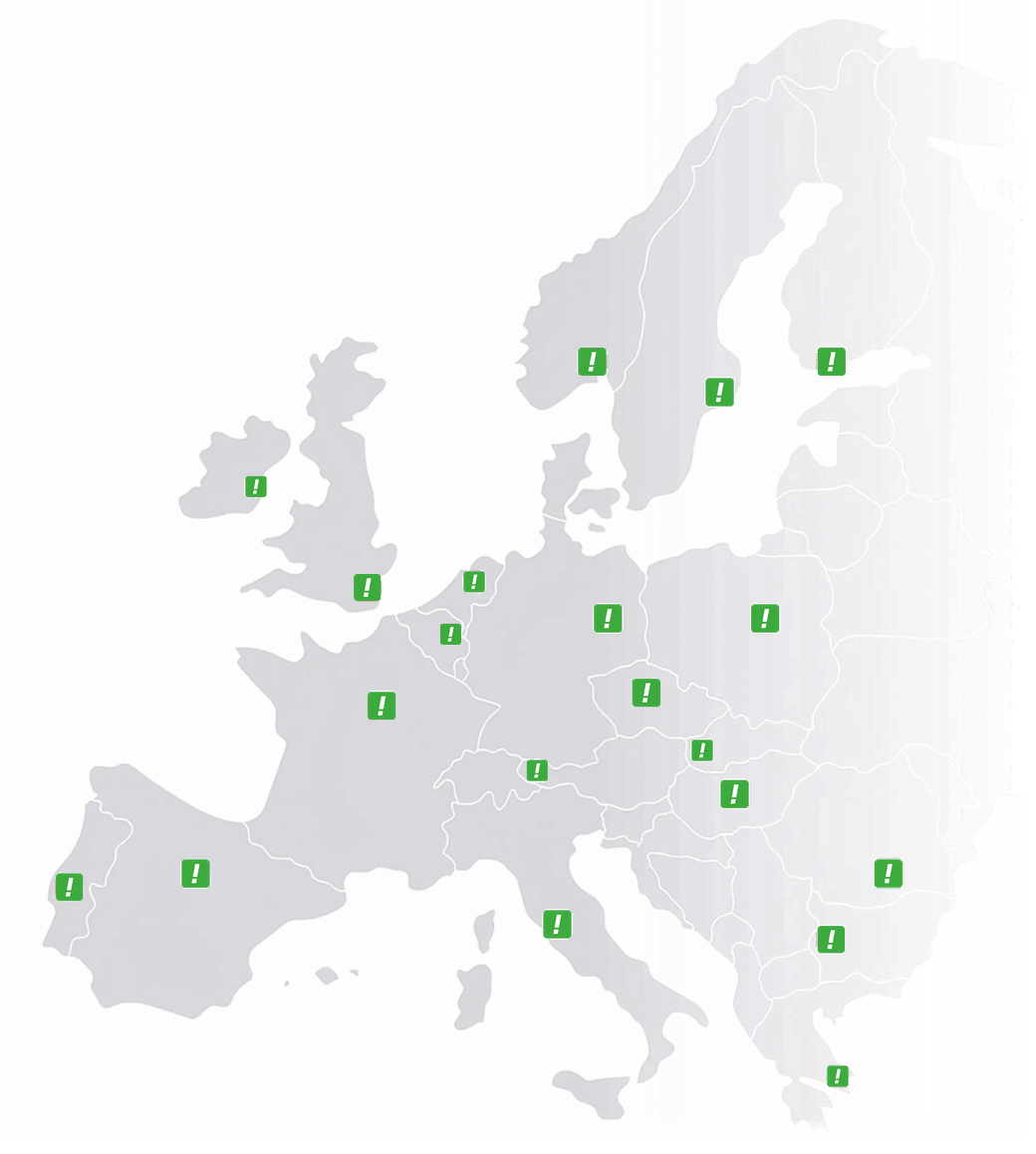
Map of Europe showing the countries where CallFactory supplies numbers Numbers in 14 European countries + US