Get local, national and international numbers directly online.
Desk phones, mobiles and softphones on one number, with one set of rules

Every device your team already uses.

A desk phone at reception, a laptop for the person working from home, an ordinary mobile for whoever is on the road. Same business number, same routing, same team, with calls routed over VoIP, the mobile network or the fixed network, whichever suits the device.

Start with no hardware at all · port your existing number · one phone or several hundred · routing you change from the browser

Listen to the audio guide

0:00 / 0:00

Looking for a telephony platform that grows with your business? Then you’ve just found it! With our all-in-one platform you choose yourself where your calls land, and you adjust that at any time in real time, so your organisation stays perfectly reachable.

You decide how we deliver your calls. Over VoIP, through a fixed number on your mobile, or forwarded to your existing telephony setup or your SaaS tool — whatever suits the way you work, and you switch between them in a few clicks.

Under your business number you freely combine different devices. A desk phone at the office, a softphone on your laptop for those working from home or hybrid, and your fixed number on your mobile for when you’re on the road, keeping your private number private.

You manage your whole system yourself in the browser. Change destinations and forwarding, set opening hours, holidays and voicemail, and view your call activity — changes take effect immediately, without waiting for a technician.

Working in a team? In the dashboard you see who’s available and who’s on a call. Incoming calls go to the right colleague, and shared queues make sure customers aren’t left waiting.

All of this runs on our own platform, which we built ourselves. We’re not a reseller, so we don’t depend on third parties and you get the newest features fast. That’s how we combine the stability of the fixed network with the freedom of the cloud.

One platform for your single business number, or for extra numbers at home and abroad, forwarded to your existing system or to new devices — and you keep all of it in your own hands, online and in real time. Request your number and we’ll get to work for you.

app.callfactory.co.uk/phone-team

Phone team — Main line

Which devices ring on +44 20 7946 0812, in what order, and when.

Add a device

Devices in this team

drag to change the order
  1. 1 Reception Desk phone Ubiquiti G3 · VoIP over the office network Available
  2. 2 Oliver Smith Mobile +44 7700 900412 · mobile network, no app Available
  3. 3 Amelia Johnson Softphone Linphone on a Mac · VoIP over her home line On a call
  4. 4 George Williams Mobile +44 7700 900355 · mobile network, no app Off until 13:00
  5. — Nobody answers Fallback Voicemail, emailed with a transcript

How they ring

One after another Round robin All at once
Ring each device for 15 seconds
Open Mon–Fri, 08:00–18:00
Outside those hours Straight to voicemail

Ringing now

0:04
+44 118 496 0233 Reading
  1. Reception ringing now
  2. Oliver’s mobile next, in 11 s
  3. Amelia busy — skipped

How the calls arrive

One team, three delivery routes. The device decides which one it uses.

  • VoIP desk phone and softphone 2 devices
  • Mobile network no app, no data needed 2 devices
  • Fixed network landline destinations available
Why hybrid

Most providers sell you one technology. We deliver three.

VoIP desk phones, or a softphone app, or forwarding to mobile: pick a provider and you have usually picked one of those for good. Our platform routes the same call over any of them, so the device decides, not the contract. Three things follow.

Consequence one

Each device on the route that suits it

A desk phone sits on the office network, where VoIP is at its most reliable, because the phone and the connection are in the same building. A mobile takes the call over the mobile network, with no app and no data, while a laptop uses VoIP wherever it happens to be.

All of them in the same team, on the same number, under the same routing rules.

Consequence two

The internet is not a single point of failure

When the office line goes down, the VoIP devices go down with it. A mobile in the same team does not, because it never needed the internet in the first place, so adding one as a fallback keeps the number ringing.

This is the reason to mix, and the one nobody thinks about until the Tuesday it happens.

Consequence three

Devices are not seats

Put a desk phone, a laptop and a mobile in front of the same person and it is still one person. Charging per device would make a hybrid setup pointless, so we do not.

Start on a mobile with no hardware at all, add a desk phone when the office fills up, and nothing has to be migrated.

The morning the line goes down

A digger goes through the fibre at half past nine

It is nobody’s fault and it will be fixed by the afternoon. The question is what your number does in the meantime.

VoIP only

Everything was on one wire

Desk phones
silent
Softphones
silent
Your number
rings out
The fix
wait for the engineer
What customers hear
nothing at all
Devices still ringing None
A hybrid team

The mobiles never needed it

Desk phones
silent
Softphones
silent
Your number
rings the mobiles
The fix
it already happened
What customers hear
somebody answering
Devices still ringing The mobiles
Five components

Pick the ones you need, ignore the rest

Nobody uses all five on day one. Most teams start with two and add a third when something changes.

Desk phone

A handset on the desk, plugged into the office network. The most reliable VoIP option there is, because the phone and the internet connection are in the same building.

  • Reception, sales desks, back office
  • Ubiquiti UniFi G3, bought direct
  • Same routing as every other device
See how it works

Softphone

Your business line on a laptop, with a headset. Linphone, the open-source softphone, runs on Mac or Windows, so a computer becomes a full business phone.

  • Remote and hybrid people
  • No hardware to buy
  • Runs alongside a desk phone
See how it works

Fixed on mobile

Calls routed to an ordinary mobile over the mobile network. No app to install, no data connection needed, and the private number stays private.

  • Field teams and anyone driving
  • Works when the internet does not
  • Nothing on a personal phone
See how it works

Team dashboard

A shared screen showing who is free, who is on a call, and what is waiting. For the moment several people share one number and need to see the same thing.

  • Live availability per person
  • Shared queues and overflow
  • Route a call to the right colleague
See how it works

Web interface

The control panel for all of it. Destinations, routing, opening hours, holidays, recordings and statistics are changed from the browser and live immediately.

  • No support ticket to change a destination
  • Opening hours and holidays
  • Call activity from any device
See how it works
How it works

Build the team, set the order, change it whenever

Everything below happens in the browser. None of it needs an engineer or a support ticket.

01

Put the devices in a team

A mobile, a laptop, a handset: whatever people actually use. Nothing has to be bought first, because a mobile number is a valid device on day one.

02

Decide how they ring

One after another, round robin, or all at once. Set how long each device rings, when the team is open, and what happens outside those hours.

03

Change it from the browser

Somebody off sick, a new starter, a bank holiday, a temporary diversion to a mobile. You edit it and the next call follows the new rule.

You can start today with nothing but the phone in your pocket, and in most cases bring your existing number with you. The same platform runs a one-person setup and a contact centre with hundreds of agents, so adding a support line, a second country or ten more people later is a change of settings rather than a migration.

Which device for whom

The mix matters more than the devices

Every device here is good at something and bad at something else. Choosing well is mostly about being honest about where people actually are when the phone rings.

A desk phone is the right answer for anyone who sits in the same chair all day and takes calls constantly, such as reception, a sales desk or a service line. It is also the most reliable VoIP device you can have, because the handset and the internet connection are in the same building and nothing else is in the way.

A softphone suits people who work from a laptop anyway, and it costs nothing to try. Its quality is the quality of the connection it is sitting on, which is excellent at a desk with fibre and less predictable on hotel wifi. That is not a criticism of the software; it is what running voice over the internet means.

A mobile is the odd one out, and the reason to have one in every team. It takes the call over the mobile network rather than the internet, so it keeps working when the office line does not, needs no app on somebody’s personal phone, and reaches people who are nowhere near a desk. Put one at the end of the ring order and most of the failure modes above stop mattering.

A setup that survives a bad day

  • At least one mobile in every team, last in the ring order
  • Desk phones where people sit still and call all day
  • Voicemail to email as the final fallback, always
  • A team made only of devices that need the internet
  • Ringing six devices at once, because someone always answers twice

If you are not sure, start with mobiles only. It costs nothing, it works everywhere, and you can add handsets once you know where the calls actually land.


One number, whatever your team is holding

Tell us who needs to be reachable and where they are when the phone rings. We will put the team together, port your number if you have one, and you can change every rule yourself afterwards from the browser.

Book a free demo

Why businesses bring their number to CallFactory

📡

Premium routing over fixed networks

Your calls travel over traditional fixed carrier networks rather than the cheapest internet route, so callers hear the clarity of a domestic landline even across borders.

🇪🇺

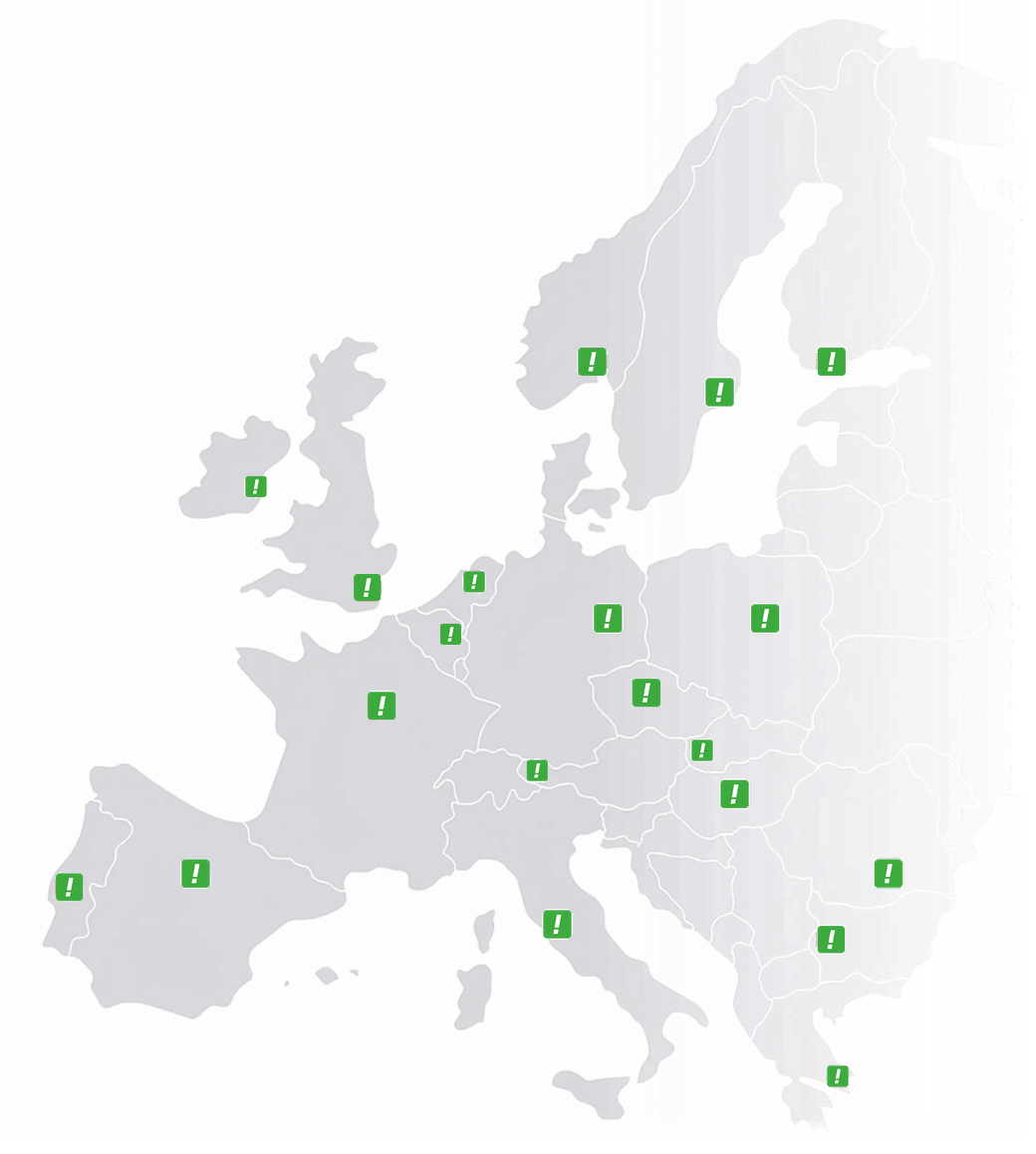
Licensed operator in 14 European countries

CallFactory is a registered telecom operator in 14 of the largest European countries and runs its own platform. Special routing or an urgent change is handled directly by us.

Questions

Frequently asked questions

Different kinds of device under one business number: desk phones, mobiles, softphones and the web tools, all in the same team with the same routing. The call is routed over VoIP, the mobile network or the fixed network depending on which device is answering.

Yes. CallFactory’s phone system is designed to mix devices freely. Office staff can use desk phones, remote workers can use softphones, and team members on the go can receive calls on their mobile, all under the same number with the same routing rules.

You define the routing from your dashboard. Choose sequential forwarding (ring one device after another), round robin (rotate between team members), or simultaneous ringing (all devices ring at once). You can also set business hours, IVR menus, and fallback destinations.

Not necessarily. You can start with fixed on mobile (calls forwarded to your existing mobile phone) or a softphone on your laptop, and neither requires any hardware investment. If you want desk phones, we recommend the Ubiquiti UniFi G3 series, purchased directly from the manufacturer or a reseller.

In most cases, yes. You can port your existing business number to CallFactory and continue using it within the new phone system. This lets you upgrade your setup without changing contact details.

Everything is managed from the web interface, which is a single dashboard in your browser. Add phone numbers, configure routing, manage devices, download softphone licences, and review call statistics. Changes take effect immediately.

Yes. The platform scales from a single phone number forwarding to one mobile, all the way to contact centres with hundreds of agents. Start simple and expand as your team grows, with no migration needed.

Desk phones and softphones need a working internet connection. If internet reliability is a concern, add a mobile phone as a fallback destination. Fixed on mobile routes calls over the mobile network and works regardless of internet or power outages.

Rather talk it through first?

Our team helps you with numbers and voicebots in each of our countries. Call us or use the contact form.

To the contact form → Reply within one day
Or call us
European Union GDPR-compliant · data in the EU
Map of Europe showing the countries where CallFactory supplies numbers Numbers in 14 European countries + US