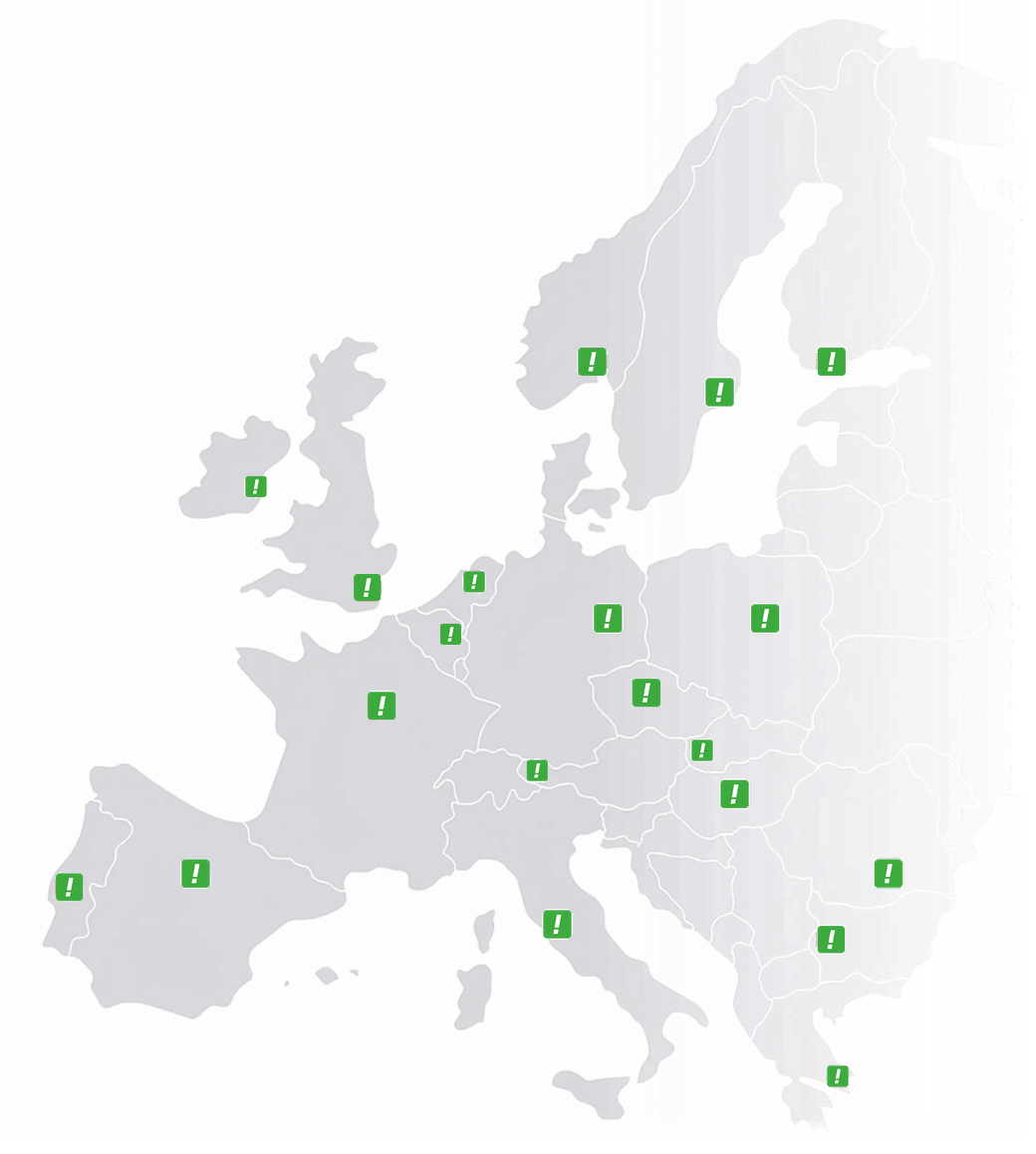
Austria
 Belgium
 France
 Germany
 Italy
Italy Netherlands
 Poland
 Spain
Spain Sweden
 United States
Type your message. Pick a voice. Ready in five seconds.
Every message your callers hear, from the welcome greeting and the phone menu to the voicemail and the queue, is made right here. No recording studio, no voice actor, no waiting. And when something changes, you edit one line of text.
Fifteen language variants, one for every market where you can have a number.
- Step 1 Type your message
- Step 2 Listen
- Step 3 Paste the code
Three reasons businesses keep playing outdated messages
Not because they don’t care, but because until now every change was a small project.
Recording it yourself sounds home-made
A phone or laptop microphone is easy to hear. Background noise, a hesitation halfway through, a different volume from the last recording: callers notice, even if they never say so.
Professional, but impossible to change
A recorded message is finished on the day you receive it. To change a single opening time, you book again, pay again and wait again.
The message stays exactly as it is
You have moved, your opening hours have changed or there is a new menu option, and yet callers still hear the old text. That isn’t carelessness; it is the logical result of a change that costs money and takes days.
Three steps, and the third is copy and paste
You make the message on this page and then switch it on in your settings.
- 01
Type your message and choose a voice
on this pageUp to 500 characters, which is plenty for a welcome greeting or a menu with four options. Choose the language and the voice, and adjust the pitch and speed if you like.
- 02
Listen to the result
on this pageThe audio is ready within a few seconds. If a sentence sounds too fast or too flat, you change the text or the sliders and generate it again, as often as you like.
- 03
Paste the code into your settings
in your CallFactory settingsThe result comes with a code, which you paste into the feature where the message should play: your welcome message, your phone menu or your voicemail. From that moment on, callers hear it.
One generator, six places in your call flow
Everything a caller hears before a person answers comes from here.
Phone menu
The options themselves, plus the message that plays when someone presses the wrong key.
Voicemail
The message that asks for a name and a number, outside office hours or when nobody answers.
Queue
Their position in the queue, the estimated waiting time, and the message asking whether they would like a call back.
Whisper tone
What your colleague hears before the call is put through: which number the caller dialled.
Outside opening hours
The separate message for evenings, weekends and bank holidays.
A Spanish caller hears a Spanish voice
Fifteen language variants, and none of them is a generic version: English for the UK sounds different from English for Ireland or the US, and the same goes for Dutch, French and German.
- English UK · Ireland · US
- Dutch Netherlands · Belgium
- French France · Belgium
- German Germany · Austria · Switzerland
- Spanish Spain
- Italian Italy
- Polish Poland
- Swedish Sweden
- Finnish Finland
- Danish not yet available
Why this is more than a translate button
If you have a number in four countries, you need four phone menus that sound as if they were made locally. A Spanish caller recognises an English voice reading Spanish text within two words, and that is precisely the moment a local number loses its value.
Each language has its own voices, male and female. For British English there are seventeen, all of them in the generator at the top of this page.
- Ryan male
- Thomas male
- Sonia female
- Libby female
- Ada female
Four controls, and you hear the difference straight away
Language and voice
15 variantsFifteen language variants, each with its own male and female voices.
Pitch
−20 … +20Higher or lower, in ten steps either way. A lower pitch sounds calmer, a higher one friendlier.
Speed
0.5× … 1.5×From half speed to one and a half times as fast. For a menu with four options, slightly slower works better than you might think.
The text itself
500 charactersUp to 500 characters per message. You can generate it again as often as you like, at no extra cost.
Unlimited in every plan, even for one person
The text-to-speech assistant comes as standard, unlimited and at no extra cost, with every plan, from Business Number to Customer Service. For ideas on the wording, see our business voicemail greeting examples.
This feature works on every UK telephone number and on all our international phone numbers, so you can use it straight away in every market where you do business.
What customers ask about it
Listen for yourself: the generator is at the top of this page and works without an account. Type your own welcome text, choose a voice and judge the result. That is a fairer answer than anything we could write about it.
Yes. The generator is an alternative to recording a message yourself, not a replacement for it. If you already have a message recorded by a voice actor, it simply keeps working.
There is no limit on the number of messages or on how often you generate them again. Each message can be up to 500 characters long.
For a language that is not on the list yet, such as Danish, you can use your own recording or get in touch with us. That is exactly the kind of request that decides which language we add next.
You get a code that you paste into your settings; the file itself stays on the platform. If you need the audio file for something else, just ask us.
You make the message on this page and then switch it on in your settings. Choose the language and the voice, and adjust the pitch and speed if you like. The audio is ready within a few seconds and comes with a code, which you paste into the feature where the message should play: your welcome message, your phone menu or your voicemail. From that moment on, callers hear it.
No, the assistant generates a professional voice message from your text, so you don’t need a microphone, a studio or a voice actor.
There are fifteen language variants, and each one has its own male and female voices.
Within seconds. You type or edit the text, and the new message is ready to use straight away.
With every CallFactory feature that plays audio, including welcome greetings, voicemail, queue announcements, phone menus, whisper tones and closing-time messages.
Make your welcome message now
Type your text, choose a voice and within five seconds you will hear how your business sounds. No account needed to try it.